

Screen recording
Cap vs ScreenSnap Pro compared on 13 fields
- Cap score
- 92/100 (6 of 6 criteria)
- ScreenSnap Pro score
- not ranked
- Fields won by Cap
- 1 of 6
- Fields won by ScreenSnap Pro
- 0 of 6
Cap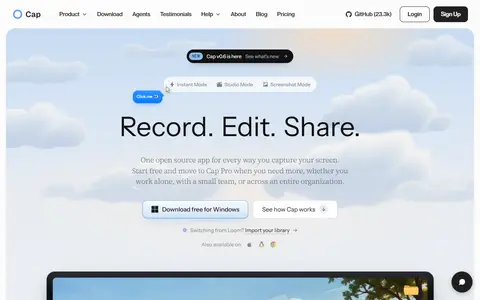 ScreenSnap Pro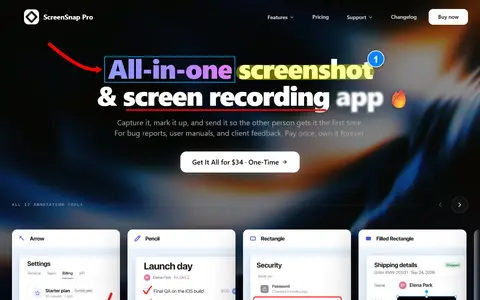
Data checked Oct 14, 2026 against the vendors' own pages. How we verify
Cap and ScreenSnap Pro are both screen recording tools. We compared them on 13 fields read from each vendor's own pages.
On the screen recording tools scorecard Cap scores 92/100 (6 of 6 criteria) and ScreenSnap Pro not ranked.
Of the 6 fields with a clear rule (lower price, higher count, yes over no), Cap wins 1, ScreenSnap Pro wins 0 and 5 are ties.
Cap scores clearly higher on free plan or trial, verified features and pricing transparency.
Side by side
| Field | Cap | ScreenSnap Pro | Winner and basis |
|---|---|---|---|
| Cheapest paid plan (billed monthly) | $2.42/month | – | No winner: needs a value on both sides |
| Free plan | ✓ Yes | No | Cap |
| Free trial | No | No | Tie |
| Public API | Yes | – | No winner: needs a value on both sides |
| Data export | Recordings in any format, up to 4K at 60fps | Recordings as video or GIF | No winner: no rule for this field |
| Analytics | Yes | – | No winner: needs a value on both sides |
| Team access | Yes | – | No winner: needs a value on both sides |
| AI assistant | Yes | – | No winner: needs a value on both sides |
| Camera overlay | Yes | Yes | Tie |
| Automatic captions | Yes | – | No winner: needs a value on both sides |
| Instant share links | Yes | Yes | Tie |
| Built-in editing | Yes | Yes | Tie |
| Desktop app | Yes | Yes | Tie |
– = not published by the vendor, or not verified yet.
Sources: Cap pricing page, checked Oct 14, 2026; ScreenSnap Pro pricing page, checked Oct 14, 2026. Each feature value links its own source on the tool's page.
Scorecard, criterion by criterion
| Criterion | Weight | Cap | ScreenSnap Pro |
|---|---|---|---|
| Entry price | 25% | 67$12/month per seat billed monthly on Cap Pro; $2.42/month billed annually on Desktop License (scored on the monthly price) | – |
| Free plan or trial | 15% | 100Free plan (Free) | 0No free plan or free trial shown on the pricing page |
| Pricing transparency | 10% | 1003 of 3 plans have a public price | 871 of 1 plans have a public price |
| Verified features | 15% | 1008 of 9 tracked features verified: analytics, team access, ai assistant, camera overlay, automatic captions, instant share links, built-in editing, desktop app | 804 of 9 tracked features verified: camera overlay, instant share links, built-in editing, desktop app |
| API, integrations and export | 10% | 100public API, documented data export | 100documented data export |
| Cost per user (team of 3) | 25% | 100$2.42 per user per month on Desktop License (team of 3, billed annually) | – |
| Total score | 100% | 92/100 (6 of 6 criteria) | not ranked |
Cap plans
| Plan | Billed monthly | Billed yearly | Charged per | Published limits |
|---|---|---|---|---|
| Free | Not stated | Free | per workspace | None stated |
| Desktop License | Not offered | $2.42 | per user | None stated |
| Cap Pro | $12 | $8.16 | per user | None stated |
Prices in USD per month, before tax. Read from the vendor's pricing page on Oct 14, 2026. "Not stated" means the page does not publish it.
ScreenSnap Pro plans
| Plan | Billed monthly | Billed yearly | Charged per | Published limits |
|---|---|---|---|---|
| ScreenSnap Pro | $34 once | – | per workspace |
|
Prices in USD per month, before tax. Read from the vendor's pricing page on Oct 14, 2026. "Not stated" means the page does not publish it.
How we picked
Every one of these screen recording tools is scored by the same 6 criteria (scorecard v1). Each criterion gives 0 to 100 from the vendor's published data; the total is the weighted average. A criterion without verified data is left out and the other weights are re-normalised. A tool with under 60% of the weight covered is listed as not ranked, and so is a tool with no verified price and fewer than 2 verified features (“needs a verified price”); each score shows how many criteria it is based on. The core criteria are the same in every category; the category criteria are specific to screen recording tools. Nobody gets custom weights, including our own products.
| Criterion | Weight | Type | What we measure |
|---|---|---|---|
| Entry price | 25% | Core | Price per month of the cheapest paid plan, against the prices of other screen recording tools on the same billing basis (monthly-billed prices against monthly, annual-billed against annual).Log scale. Billed monthly: $7.61/month or less = 100, $30.44 or more = 0. Only billed annually: $3.60/month or less = 100, $14.40 or more = 0. Only free plans = 100. Usage-priced and one-time plans are not scored. |
| Free plan or trial | 15% | Core | Whether you can use the tool before paying: a free plan, or failing that a free trial, as shown on the vendor's pricing page.Free plan = 100. No free plan but a free trial = 60. The pricing page lists plans but shows neither = 0. No plans read = not scored. |
| Pricing transparency | 10% | Core | How much of the pricing is public: the share of plans with a published price ("contact sales" counts against), and whether there are at least 3 published tiers.80 x (plans with a public price / plans listed) + 20 x (public plans, up to 3) / 3. No plans read = not scored. |
| Verified features | 15% | Core | How many of the 9 features we track for this category the vendor's own pages verifiably show (analytics, team access, templates, ai assistant, camera overlay, automatic captions, instant share links, built-in editing, desktop app). This counts verified features only: a tool that documents less scores lower here, and only here.Linear: verified features / 5 (half the tracked list) x 100, capped at 100. No tracked feature verified = not scored. |
| API, integrations and export | 10% | Core | Whether a public API exists, how many integrations the vendor states, and whether the vendor documents a way to export your data.Average of the parts with data: public API yes = 100, no = 0; integrations on a log scale (100 or more = 100); a documented data export = 100. None verified = not scored. |
| Cost per user (team of 3) | 25% | Category | Monthly price per user for a team of 3, on the cheapest paid plan that is priced per seat or states room for at least 3 users.Log scale: $6.16 per user or less = 100, $24.66 or more = 0. Plans that do not state a user limit are not used. No such plan = not scored. |
Sources are vendor pricing pages, docs and changelogs, each with the date we checked it. We did not test these tools hands-on unless a listing says so. Full formulas: methodology.
Questions, answered from the data
Do Cap and ScreenSnap Pro have free plans?
Cap has a free plan; ScreenSnap Pro does not.