Social media scheduling · 2026
Best social media scheduling tools for content repurposing 22 tools ranked by verified data

Data checked Oct 14, 2026 against the vendors' own pages. How we verify
We scored 23 social media scheduling tools for content repurposing with the same 8-criterion scorecard; 22 have enough verified data to be ranked.
Only tools with a verified content repurposing feature are included.
Buffer ranks first with 98/100, followed by Publer (92) and PostEverywhere (90).
The lowest starting price among ranked tools (the least you can pay for a paid plan, for one user or account) is Buffer's: $5 per social account per month billed yearly on the Essentials plan.
The ranking
| # | Tool | Score | Coverage | From, billed monthly | From, billed yearly | Free plan | Platforms | Checked |
|---|---|---|---|---|---|---|---|---|
| 1 |  Buffer Buffer | 98/100 | 80%6 of 8 criteria | Not offered | $5/account/mo | Yes, 3 social accounts | – | Oct 14, 2026 |
| 2 |  Publer Publer | 92/100 | 65%6 of 8 criteria | Free | Free | Yes, 1 user | 12 | Oct 14, 2026 |
| 3 |  PostEverywhere PostEverywhere | 90/100 | 95%7 of 8 criteria | $9/mo | Not offered | No | 10 | Oct 14, 2026 |
| 4 |  Supaslides Supaslides | 83/100 | 65%4 of 8 criteria | Free | Free | Yes | 8 | Oct 14, 2026 |
| 5 |  CannerAI CannerAI | 79/100 | 75%5 of 8 criteria | $9/mo | Not offered | Yes, 3 images per month | 2 | Oct 14, 2026 |
| 6 |  Hypefury Hypefury | 74/100 | 75%5 of 8 criteria | $6/account/mo | Not offered | No | 5 | Oct 14, 2026 |
| 7 |  Planpo.st Planpo.st | 68/100 | 95%7 of 8 criteria | $19.99/mo | Not offered | No | 5 | Oct 14, 2026 |
| 8 |  StreamLadder StreamLadder | 68/100 | 75%5 of 8 criteria | $15/mo | Not offered | Yes | 4 | Oct 14, 2026 |
| 9 |  Quso.ai Quso.ai | 67/100 | 85%6 of 8 criteria | $29/mo | $19/mo | Yes, 75 credits per month | 7 | Oct 14, 2026 |
| 10 |  TryPost.it TryPost.it | 66/100 | 95%7 of 8 criteria | $19/mo | Not offered | No | 12 | Oct 14, 2026 |
| 11 |  Missinglettr Missinglettr | 66/100 | 85%6 of 8 criteria | Not offered | $12/mo | No | 1 | Oct 14, 2026 |
| 12 |  LinkGenie LinkGenie | 65/100 | 75%5 of 8 criteria | $19/mo | $15.20/mo | Yes | 1 | Oct 14, 2026 |
| 13 |  Choppity Choppity | 62/100 | 95%7 of 8 criteria | $24/mo | $16.80/mo | Yes, 1 user | 3 | Oct 14, 2026 |
| 14 |  SocialBee SocialBee | 62/100 | 75%5 of 8 criteria | $29/mo | Not offered | No | – | Oct 14, 2026 |
| 15 |  Predis AI Predis AI | 61/100 | 95%7 of 8 criteria | Not offered | $24/mo | No | 7 | Oct 14, 2026 |
| 16 |  openpost openpost | 60/100 | 95%7 of 8 criteria | $29/mo | Not offered | No | 2 | Oct 14, 2026 |
| 17 |  Contant Contant | 59/100 | 90%7 of 8 criteria | $19/mo | Not offered | Yes, 1 workspace | 1 | Oct 14, 2026 |
| 18 | RedactAI | 49/100 | 75%5 of 8 criteria | Not offered | $11.90/mo | No | 1 | Oct 14, 2026 |
| 19 |  Taplio Taplio | 47/100 | 75%5 of 8 criteria | $39/mo | Not offered | No | 1 | Oct 14, 2026 |
| 20 |  Tweet Hunter Tweet Hunter | 42/100 | 85%6 of 8 criteria | $29/mo | Not offered | No | 1 | Oct 14, 2026 |
| 21 |  LightUGC LightUGC | 23/100 | 85%6 of 8 criteria | $49/mo | Not offered | No | 2 | Oct 14, 2026 |
| 22 | Lately | 23/100 | 65%4 of 8 criteria | Not offered | $199/mo | No | – | Oct 14, 2026 |
| – |  Keryo Keryo | Not ranked | 25%2 of 8 criteria | – | – | – | 7 | Oct 14, 2026 |
Each value links the vendor page it was read from (hover for the check date). Coverage is the share of the scorecard's weight with verified data, and "N of M criteria" how many criteria the score is based on; a tool is ranked at 60% or more.
– = not published by the vendor, or not verified yet.
Why each one ranks where it does
- 1. Buffer 98/100
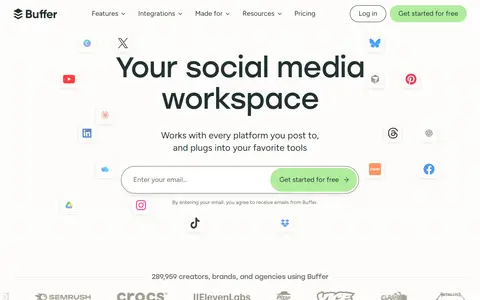
Social media publishing tool with scheduling queues, an idea library, analytics, a community inbox, a link-in-bio page and an AI assistant.
- Entry price (100/100): $5/month per account billed annually on Essentials; no monthly-billed price published (scored against annual-billed prices)
- Free plan or trial (100/100): Free plan (Free)
From $5 per social account per month billed yearly on the Essentials plan.
Homepage captured Oct 14, 2026 - 2. Publer 92/100
Social media scheduling and management tool with a calendar, bulk scheduling, analytics, workspaces and link in bio across many networks.
- Free plan or trial (100/100): Free plan (Free)
- Verified features (100/100): 11 of 19 tracked features verified: bulk scheduling (csv or multi-post), calendar view, first-comment scheduling, direct auto-publishing, media library, ai caption assistant, post and account analytics, best-time-to-post suggestions, approval workflows, separate client workspaces, content repurposing
- 3. PostEverywhere 90/100
Social media scheduler that cross-posts to many networks, with a content calendar, bulk CSV scheduling, AI writing and image tools, an API and an MCP server.
- Entry price (100/100): $9/month billed monthly on Lite (scored on the monthly price)
- Verified features (100/100): 11 of 19 tracked features verified: posting queue, bulk scheduling (csv or multi-post), calendar view, direct auto-publishing, ai caption assistant, post and account analytics, best-time-to-post suggestions, approval workflows, user roles and permissions, separate client workspaces, content repurposing
From $9 per month billed monthly on the Lite plan.
- 4. Supaslides 83/100
Turns a website URL into on-brand carousels with editable slides, exports them in formats for several networks and schedules posts from one calendar.
- Entry price (100/100): Free: the pricing page lists no paid plan
- Free plan or trial (100/100): Free plan
- 5. CannerAI 79/100
AI content workspace that drafts LinkedIn and X posts in the user's voice from videos, articles and notes and publishes them on a schedule.
- Entry price (100/100): $9/month billed monthly on Creator (scored on the monthly price)
- Free plan or trial (100/100): Free plan (Free)
From $9 per month billed monthly on the Creator plan.
- 6. Hypefury 74/100
Scheduling and growth tool for posting to Bluesky, Threads, LinkedIn, Instagram and TikTok, with auto-comments, auto DMs, analytics and an engagement builder.
- Entry price (100/100): $6/month per account billed monthly on Flexible (scored on the monthly price)
- Pricing transparency (93/100): 2 of 2 plans have a public price
From $6 per social account per month billed monthly on the Flexible plan.
- 7. Planpo.st 68/100
Social media scheduler with a multi-platform calendar, video and carousel studio, client approvals and per-post revenue attribution, plus an MCP server for AI agents.
- Verified features (100/100): 11 of 19 tracked features verified: posting queue, bulk scheduling (csv or multi-post), calendar view, first-comment scheduling, direct auto-publishing, ai caption assistant, post and account analytics, best-time-to-post suggestions, approval workflows, link tracking (utm / short links), content repurposing
- API, integrations and export (100/100): public API
From $19.99 per month billed monthly on the Creator plan.
- 8. StreamLadder 68/100
Stream clipping toolkit that finds highlights in VODs, reformats them to vertical, adds captions and schedules posts to social networks.
- Free plan or trial (100/100): Free plan (Free)
- Pricing transparency (100/100): 4 of 4 plans have a public price
From $15 per month billed monthly on the Starter plan.
- 9. Quso.ai 67/100
Tool that turns long videos into short clips with AI detection, captions and reframing, and includes a brand kit, content planner and social scheduler.
- Free plan or trial (100/100): Free plan (Free)
- Pricing transparency (100/100): 4 of 4 plans have a public price
From $29 per month billed monthly ($19 billed yearly) on the Lite plan.
- 10. TryPost.it 66/100
Social media scheduler with calendar, team approvals, analytics and an AI assistant, priced per workspace, with MCP and REST API access for AI tools.
- API, integrations and export (100/100): public API
- Platform coverage (100/100): 12 of 15 tracked platforms supported
From $19 per month billed monthly on the Socials plan.
How we picked
Every one of these social media scheduling tools is scored by the same 8 criteria (scorecard v2). Each criterion gives 0 to 100 from the vendor's published data; the total is the weighted average. A criterion without verified data is left out and the other weights are re-normalised. A tool with under 60% of the weight covered is listed as not ranked, and so is a tool with no verified price and fewer than 2 verified features (“needs a verified price”); each score shows how many criteria it is based on. The core criteria are the same in every category; the category criteria are specific to social media scheduling tools. Nobody gets custom weights, including our own products.
| Criterion | Weight | Type | What we measure |
|---|---|---|---|
| Entry price | 25% | Core | Price per month of the cheapest paid plan, against the prices of other social media scheduling tools on the same billing basis (monthly-billed prices against monthly, annual-billed against annual).Log scale. Billed monthly: $9/month or less = 100, $49 or more = 0. Only billed annually: $9/month or less = 100, $58 or more = 0. Only free plans = 100. Usage-priced and one-time plans are not scored. |
| Free plan or trial | 15% | Core | Whether you can use the tool before paying: a free plan, or failing that a free trial, as shown on the vendor's pricing page.Free plan = 100. No free plan but a free trial = 60. The pricing page lists plans but shows neither = 0. No plans read = not scored. |
| Pricing transparency | 10% | Core | How much of the pricing is public: the share of plans with a published price ("contact sales" counts against), and whether there are at least 3 published tiers.80 x (plans with a public price / plans listed) + 20 x (public plans, up to 3) / 3. No plans read = not scored. |
| Verified features | 15% | Core | How many of the 19 features we track for this category the vendor's own pages verifiably show (posting queue, bulk scheduling (csv or multi-post), calendar view, first-comment scheduling, direct auto-publishing, recurring posts, media library, ai caption assistant, post and account analytics, report exports (pdf/csv), best-time-to-post suggestions, approval workflows, user roles and permissions, separate client workspaces, unified social inbox, white-label reports, link tracking (utm / short links), content repurposing, ugc collection). This counts verified features only: a tool that documents less scores lower here, and only here.Linear: verified features / 10 (half the tracked list) x 100, capped at 100. No tracked feature verified = not scored. |
| API, integrations and export | 10% | Core | Whether a public API exists, how many integrations the vendor states, and whether the vendor documents a way to export your data.Average of the parts with data: public API yes = 100, no = 0; integrations on a log scale (100 or more = 100); a documented data export = 100. None verified = not scored. |
| Platform coverage | 10% | Category | How many of the 15 social platforms we track the vendor says the tool supports.Linear: platforms / 10 x 100, capped at 100. No verified platform list = not scored. |
| Cost per connected account | 10% | Category | Monthly price per connected account on the cheapest paid plan that allows at least 3 social accounts.Log scale: $2 per account or less = 100, $40 or more = 0. Plans that do not state an account limit are not used. |
| Free plan limits | 5% | Category | What the free plan allows: connected accounts (full marks at 3), scheduled posts per month (full marks at 100).Each stated limit linear up to its full mark (unlimited = 100), averaged. Tools without a free plan, or whose free plan states none of these limits, are not scored here. |
Sources are vendor pricing pages, docs and changelogs, each with the date we checked it. We did not test these tools hands-on unless a listing says so. Full formulas: methodology.
Questions, answered from the data
What is the best social media scheduling tool for content repurposing?
Buffer, with 98/100 on our scorecard; Publer is second with 92/100.
What is the cheapest social media scheduling tool for content repurposing?
By entry price among ranked tools, Buffer: $5 per social account per month billed yearly on the Essentials plan.
Which of these have a free plan?
9 of the 23 tools have a free plan; the highest-ranked is Buffer.
How did you rank these social media scheduling tools?
Each tool gets 0 to 100 per criterion from its published pricing, limits and features; the total is the weighted average over the criteria with verified data. Tools with under 60% of the weight covered are not ranked.
Explore related pages
More social media scheduling tools rankings
- Best social media scheduling tools
- Free social media scheduling tools
- Best for Instagram
- Best for Facebook
- Best for TikTok
- Best for X (Twitter)
- Best for LinkedIn
- Best for YouTube
- Best for Pinterest
- Best for Threads
- Best for Bluesky
- Best for Google Business Profile
- Best for Snapchat
- Best for Telegram
- Best for Mastodon
- Best for creators