
Screen recording
Cheapest Screencastify alternatives 10 tools cheaper than Screencastify, like for like
- Screencastify from, billed monthly
- $19/mo
- Cheaper tools
- 10
- Lowest price
- $3.99/mo
- Biggest saving, paid plan
- 74%
Data checked Oct 14, 2026 against the vendors' own pages. How we verify
Screencastify's cheapest paid plan costs $19 per user billed monthly (Starter) or $7 per user per month billed annually (Starter). We found 10 tools in its market that cost less, compared on the same billing basis.
6 are cheaper billed monthly, 4 are cheaper billed annually.
The largest saving on a paid plan is Slidekick: $4.99 a month billed monthly on Monthly, $14.01 (74%) less than Screencastify's $19.
Some plans are priced per user or per account and others per workspace, so the entry price is not always the price for your team: check the plan limits before switching.
No vendor here states that it lacks a feature Screencastify has. Below, each tool lists the features and numbers it publishes; vendors rarely state what they do not offer, so a feature that is not listed is unknown, not missing.
Screencastify alternatives by price
| # | Tool | Price per month | Billing basis | Screencastify, same basis | You save | Free plan | Data checked |
|---|---|---|---|---|---|---|---|
| 1 |  ScreenX ScreenX | $3.99/mo | billed annually | $7/mo per user | $3.01 (43%) | Yes | Oct 14, 2026 |
| 2 |  ScreenPal ScreenPal | $4/mo | billed annually | $7/mo per user | $3 (43%) | Yes | Oct 14, 2026 |
| 3 |  Slidekick Slidekick | $4.99/mo | billed monthly | $19/mo per user | $14.01 (74%) | Yes | Oct 14, 2026 |
| 4 |  WeVideo WeVideo | $4.99/mo | billed annually | $7/mo per user | $2.01 (29%) | No | Oct 14, 2026 |
| 5 |  Motion Software Motion Software | $6/mo | billed annually | $7/mo per user | $1 (14%) | Yes | Oct 14, 2026 |
| 6 |  autozoom autozoom | $7.99/mo | billed monthly | $19/mo per user | $11.01 (58%) | No | Oct 14, 2026 |
| 7 |  CinePhone CinePhone | $8/mo | billed monthly | $19/mo per user | $11 (58%) | Yes | Oct 14, 2026 |
| 8 |  ScreenBuddy ScreenBuddy | $10/mo | billed monthly | $19/mo per user | $9 (47%) | Yes | Oct 14, 2026 |
| 9 |  Cap Cap | $12/mo per user | billed monthly | $19/mo per user | $7 (37%) | Yes | Oct 14, 2026 |
| 10 |  Loom Loom | $18/mo per user | billed monthly | $19/mo per user | $1 (5%) | Yes, 50 users | Oct 14, 2026 |
Each value links the page it was read from (hover for the check date).
What you give up for the lower price
- ScreenX · $3.99/mo, saves 43%
Browser-based editor for screen recordings that adds zooms, backgrounds and mockup styling to produce product demo videos and screenshots.
- Price: $3.99 a month, billed annually, on Pro source
- Screencastify on the same basis: $7 per user a month, billed annually, on Starter source
- Saving: $3.01 a month (43%)
- Pricing unit: ScreenX: per workspace; Screencastify: per user
- In numbers: 3 published plans and a free plan. source
2 of 13 tracked details verified
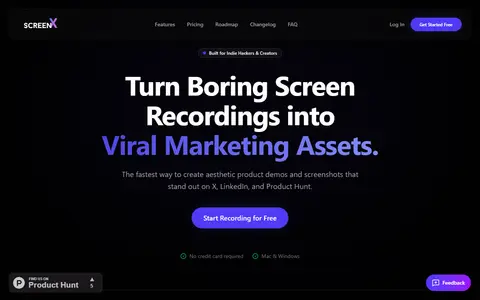
Homepage captured Oct 14, 2026 - ScreenPal · $4/mo, saves 43%
Video creation and sharing platform for recording the screen, editing video, adding quizzes and AI captions, and hosting videos.
- Price: $4 a month, billed annually, on Deluxe source
- Screencastify on the same basis: $7 per user a month, billed annually, on Starter source
- Saving: $3 a month (43%)
- Pricing unit: ScreenPal: per workspace; Screencastify: per user
- ScreenPal has, Screencastify does not (verified): Desktop app
- Verified features: Analytics, Team access, AI assistant, Camera overlay, Automatic captions and 1 more
8 of 13 tracked details verified
- Slidekick · $4.99/mo, saves 74%
Browser-based editor that imports, uploads or records videos, trims and crops them, and exports GIFs for Google Slides or MP4 clips.
- Price: $4.99 a month, billed monthly, on Monthly source
- Screencastify on the same basis: $19 per user a month, billed monthly, on Starter source
- Saving: $14.01 a month (74%)
- Pricing unit: Slidekick: per workspace; Screencastify: per user
- Verified features: Built-in editing
3 of 13 tracked details verified
- WeVideo · $4.99/mo, saves 29%
Cloud-based video editor with screen recording, stock media and templates, plus interactive video tools aimed at education, business and creators.
- Price: $4.99 a month, billed annually, on Power source
- Screencastify on the same basis: $7 per user a month, billed annually, on Starter source
- Saving: $2.01 a month (29%)
- Pricing unit: WeVideo: not stated; Screencastify: per user
- Power limits: 30 video minutes per month source
- Verified features: Analytics, Templates, AI assistant
4 of 13 tracked details verified
- Motion Software · $6/mo, saves 14%
Windows screen recorder and video editor with smart zooms, cursor effects, backgrounds, cloud storage and shareable links, exporting MP4.
- Price: $6 a month, billed annually, on Premium source
- Screencastify on the same basis: $7 per user a month, billed annually, on Starter source
- Saving: $1 a month (14%)
- Pricing unit: Motion Software: not stated; Screencastify: per user
- Motion Software has, Screencastify does not (verified): Desktop app
- Verified features: Templates, Instant share links, Built-in editing
6 of 13 tracked details verified
- autozoom · $7.99/mo, saves 58%
Desktop screen recorder for Windows and macOS that adds automatic cursor-following zoom, motion blur, captions, voiceover and webcam overlay to recordings.
- Price: $7.99 a month, billed monthly, on Premium Monthly source
- Screencastify on the same basis: $19 per user a month, billed monthly, on Starter source
- Saving: $11.01 a month (58%)
- Pricing unit: autozoom: not stated; Screencastify: per user
- autozoom has, Screencastify does not (verified): Desktop app
- Verified features: AI assistant, Camera overlay, Automatic captions
6 of 13 tracked details verified
- CinePhone · $8/mo, saves 58%
Browser-based editor that restyles screen recordings with backgrounds, device frames and zoom keyframes, then exports them as MP4 video.
- Price: $8 a month, billed monthly, on Pro source
- Screencastify on the same basis: $19 per user a month, billed monthly, on Starter source
- Saving: $11 a month (58%)
- Pricing unit: CinePhone: not stated; Screencastify: per user
- Verified features: Built-in editing
3 of 13 tracked details verified
- ScreenBuddy · $10/mo, saves 47%
Screen recorder and video editor for Windows and Mac with automatic zoom, cursor effects, captions and local MP4 or GIF export.
- Price: $10 a month, billed monthly, on Subscription source
- Screencastify on the same basis: $19 per user a month, billed monthly, on Starter source
- Saving: $9 a month (47%)
- Pricing unit: ScreenBuddy: per workspace; Screencastify: per user
- ScreenBuddy has, Screencastify does not (verified): Desktop app
- Verified features: AI assistant, Camera overlay, Automatic captions, Instant share links, Built-in editing
8 of 13 tracked details verified
- Cap · $12/mo, saves 37%
Open-source screen recorder with instant sharing links, a studio mode with an editor and screenshot mode, plus paid cloud and team features.
- Price: $12 per user a month, billed monthly, on Cap Pro source
- Screencastify on the same basis: $19 per user a month, billed monthly, on Starter source
- Saving: $7 a month (37%)
- Cap has, Screencastify does not (verified): Desktop app
- Matches Screencastify: has all 7 features we verified for Screencastify
11 of 13 tracked details verified
- Loom · $18/mo, saves 5%
Screen and camera recording tool for sharing video messages, with editing, transcripts and team workspaces.
- Price: $18 per user a month, billed monthly, on Business source
- Screencastify on the same basis: $19 per user a month, billed monthly, on Starter source
- Saving: $1 a month (5%)
- Business limits: unlimited users source
- Loom has, Screencastify does not (verified): Desktop app
- Matches Screencastify: has all 7 features we verified for Screencastify
10 of 13 tracked details verified
How we picked
- Pool: tools in the same market as the tool on this page (they list its primary category, and their own primary category is one it lists).
- Like for like: a tool's cheapest paid plan billed monthly is compared with the cheapest plan billed monthly; if that is not cheaper, its price per month billed annually is compared with the annual price. Monthly and annual prices are never mixed in one comparison.
- A free plan counts as cheaper only when the tool on this page has no free plan. Usage-priced and "contact sales" plans are left out.
- Saving = the reference price on the same basis minus the alternative's price, per month; the percentage is rounded. Entry plans differ in seats, accounts and limits, so the saving is for the entry plan, not your team.
- Sorted by price per month, then name. The page is built only when the tool has a verified paid price and at least 3 tools qualify.
Every value is read from the vendor's own pages (or GitHub for licences and stars) and shown with the date we checked it. A value we could not verify is shown as a dash, never estimated, and never read as a “no”. We did not test these tools hands-on unless a listing says so. Methodology
Questions, answered from the data
What is the cheapest alternative to Screencastify?
ScreenX: $3.99 a month billed annually on Pro, against $7 for Screencastify's Starter on the same basis.
How much can I save compared with Screencastify?
Up to $14.01 a month (74%) with Slidekick (billed monthly), before any difference in limits or seats.
Is there a free alternative to Screencastify?
ScreenX, ScreenPal, Slidekick, Motion Software and CinePhone and 3 more have a free plan.
Explore related pages
More on Screencastify
Prices as published on each vendor's pricing page on the date shown, in USD, for screen recording tools. Confirm with the vendor before you buy.